

The Bot API allows customers to add an external bot(s) to the Eko application. Bot connects to Eko via webhook endpoint and is authorized by OAuth2. When the bot has sent a message, the endpoint will receive a request from the Eko server once the bot has sent a message.
Bot API contains three main functionalities – user query, chat management, and message creation.
The Bot API is suitable for making a one-way communication bot such as bot for sending notification or alert. Also, an interactive bot that can communicate with users
Getting API Key
Section titled “Getting API Key”To use the Bot API you must have an API key. The API key is a unique identifier that is used to authenticate requests. To get an API key:
- Create Bot profile
- Generate Access token by OAuth.
- Add access token in the request
Create Bot Profile
Section titled “Create Bot Profile”To implement bot on Eko, The developer has to create bot profile on Admin Panel.
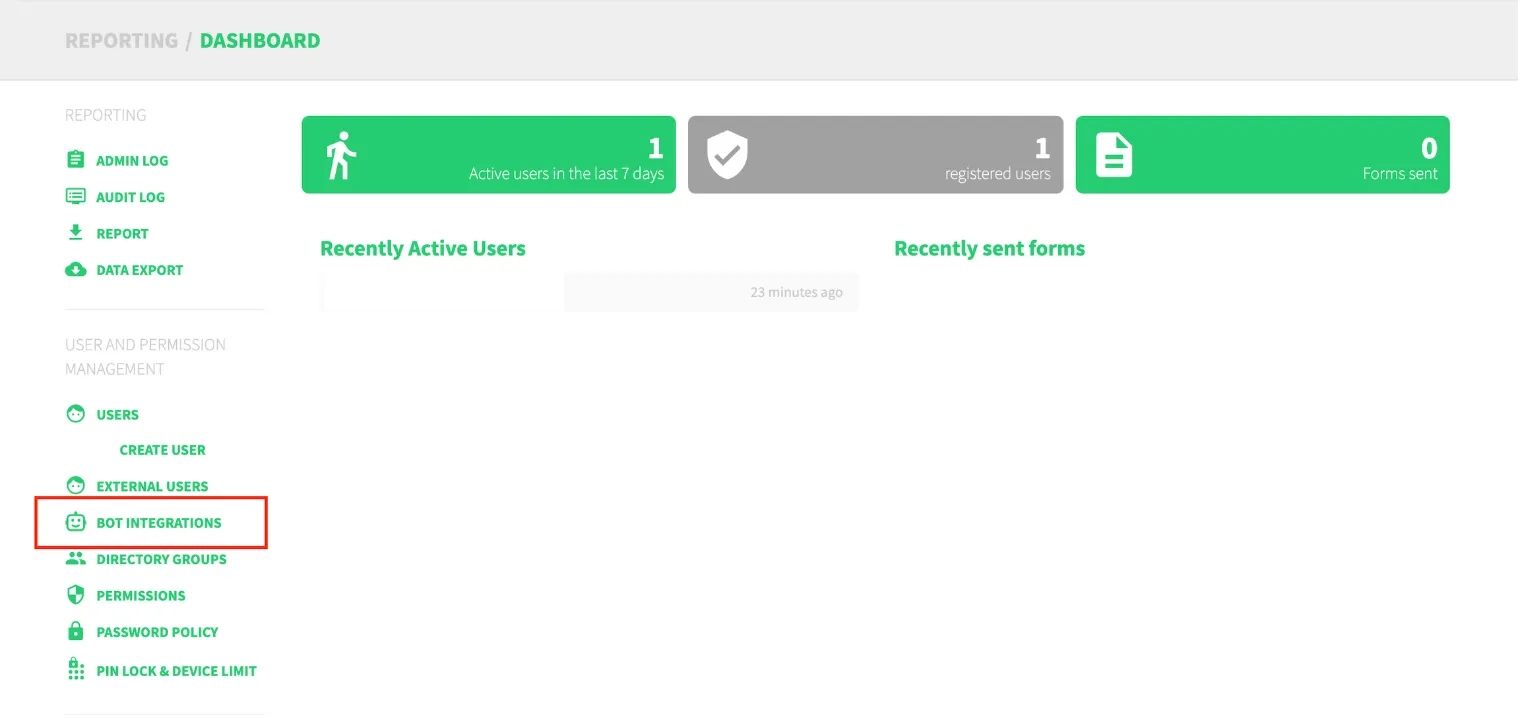
Navigate to “BOT INTEGRATION” on side menu.
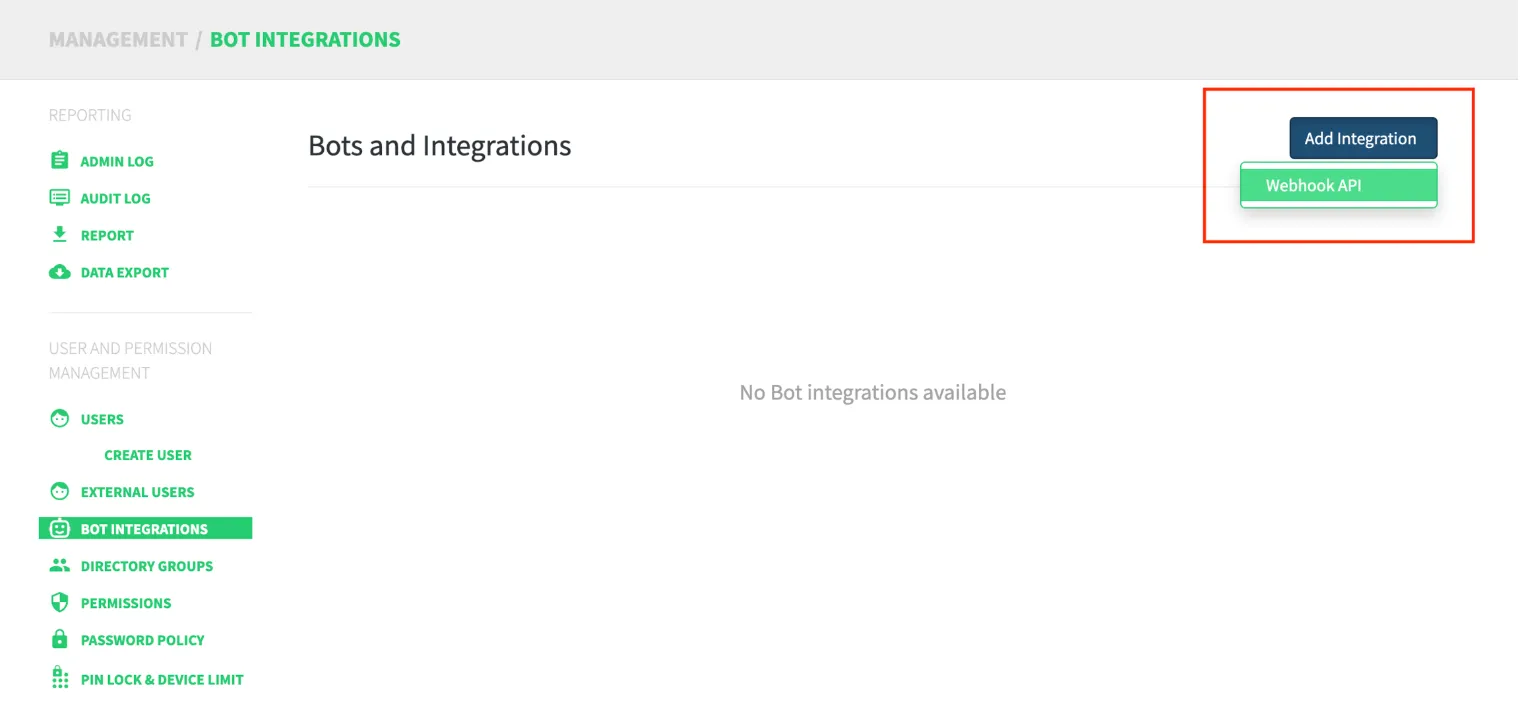
Click “Add Integration” and “Webhook API”
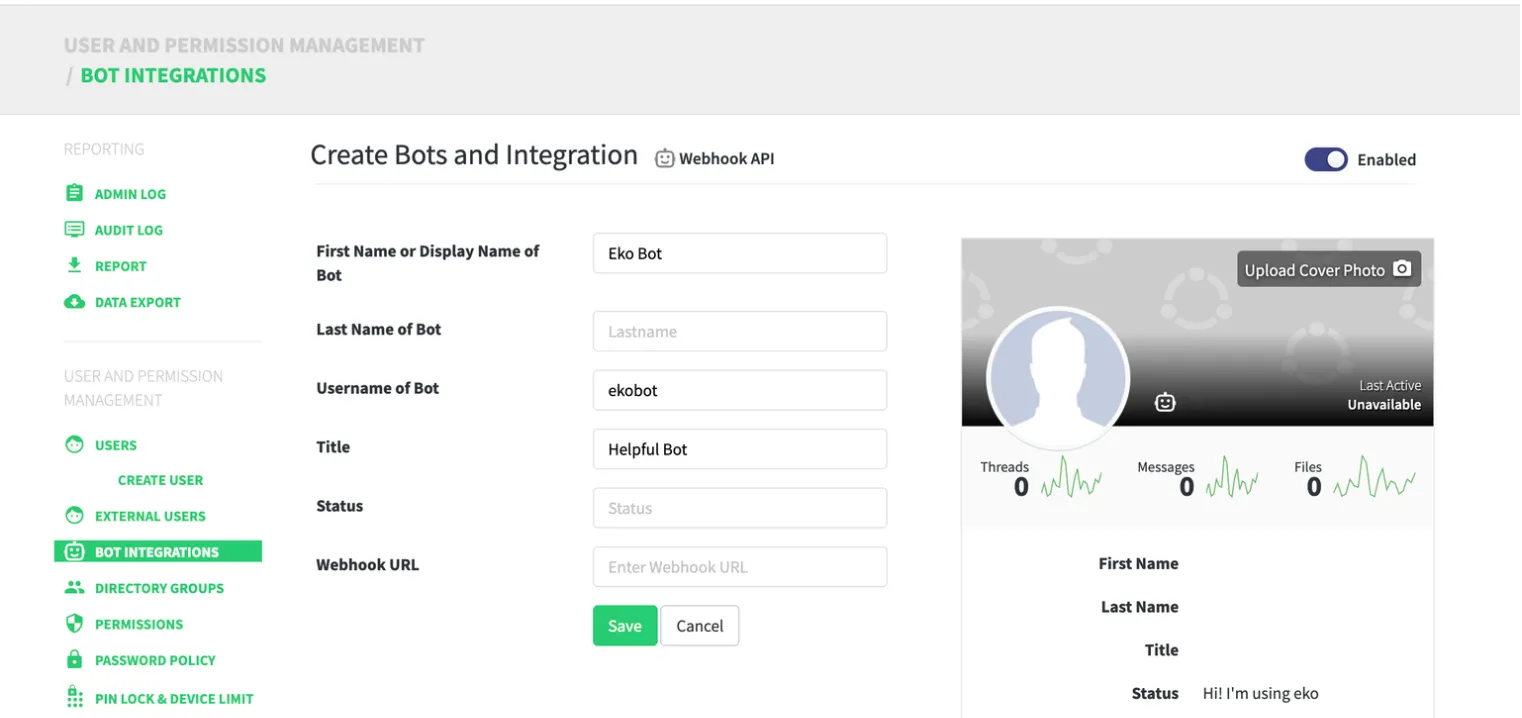
Fill in bot information including Webhook URL then, click “Save”.
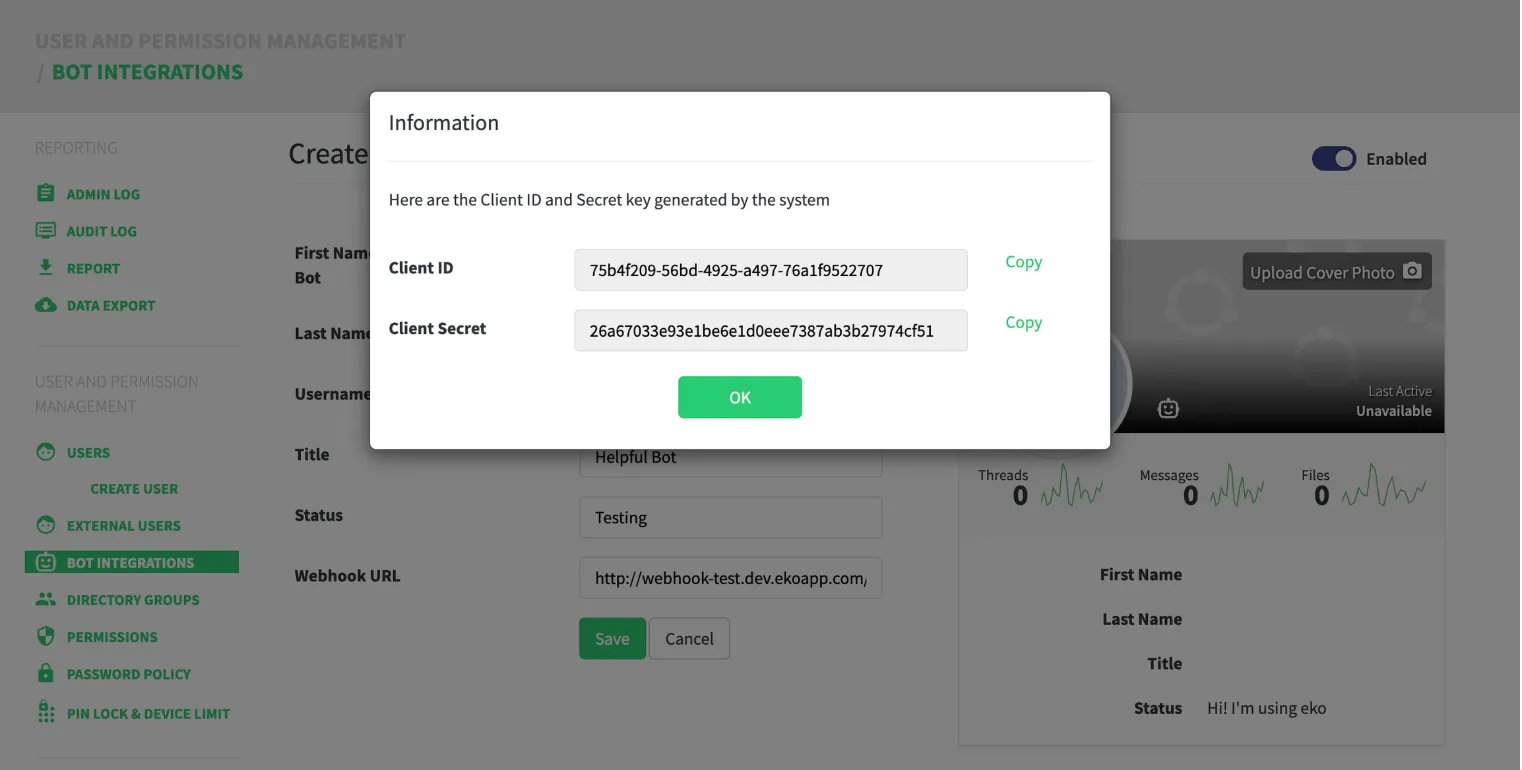
Once the bot is created, the client id and client secret of the bot will be generated.
Was this page helpful?
Thank you for your feedback!