

Integrate EkoAI in Microsoft Teams
To successfully integrate EkoAI in Microsoft Teams, it is crucial to pre-setup the Azure bot and Microsoft Teams developer app. Below are the steps for pre-setup:
Azure Bot
Section titled “Azure Bot”- Log in to the Azure portal.
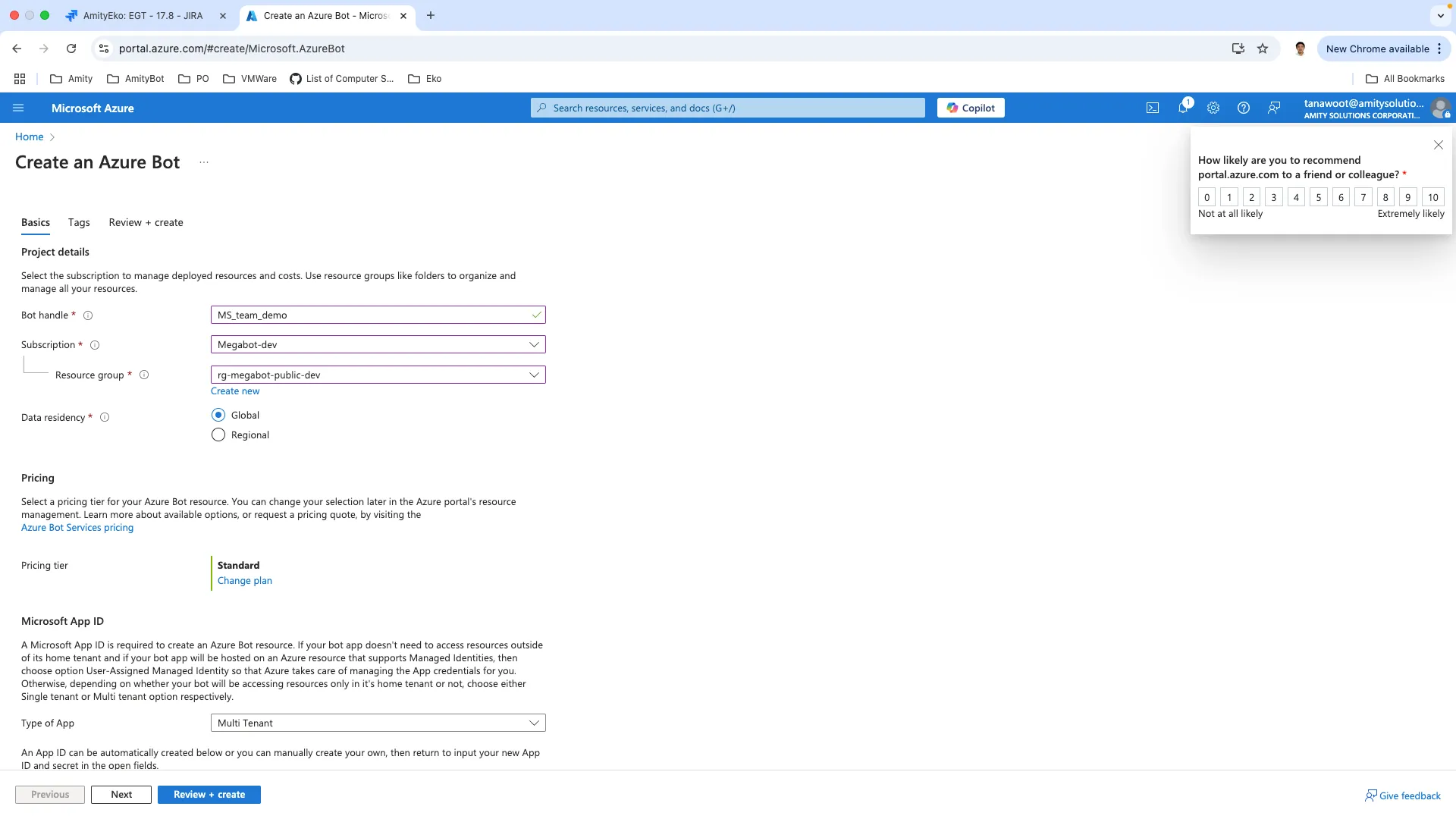
- Go to azure bot
- Create a new bot service.
- Bot Handle - name
- Subscription - depend on user
- Resource group - depend on user
- Configure the bot settings and obtain the Microsoft Application ID and Password.
- Messaging Endpoint - Provide by ASOL team
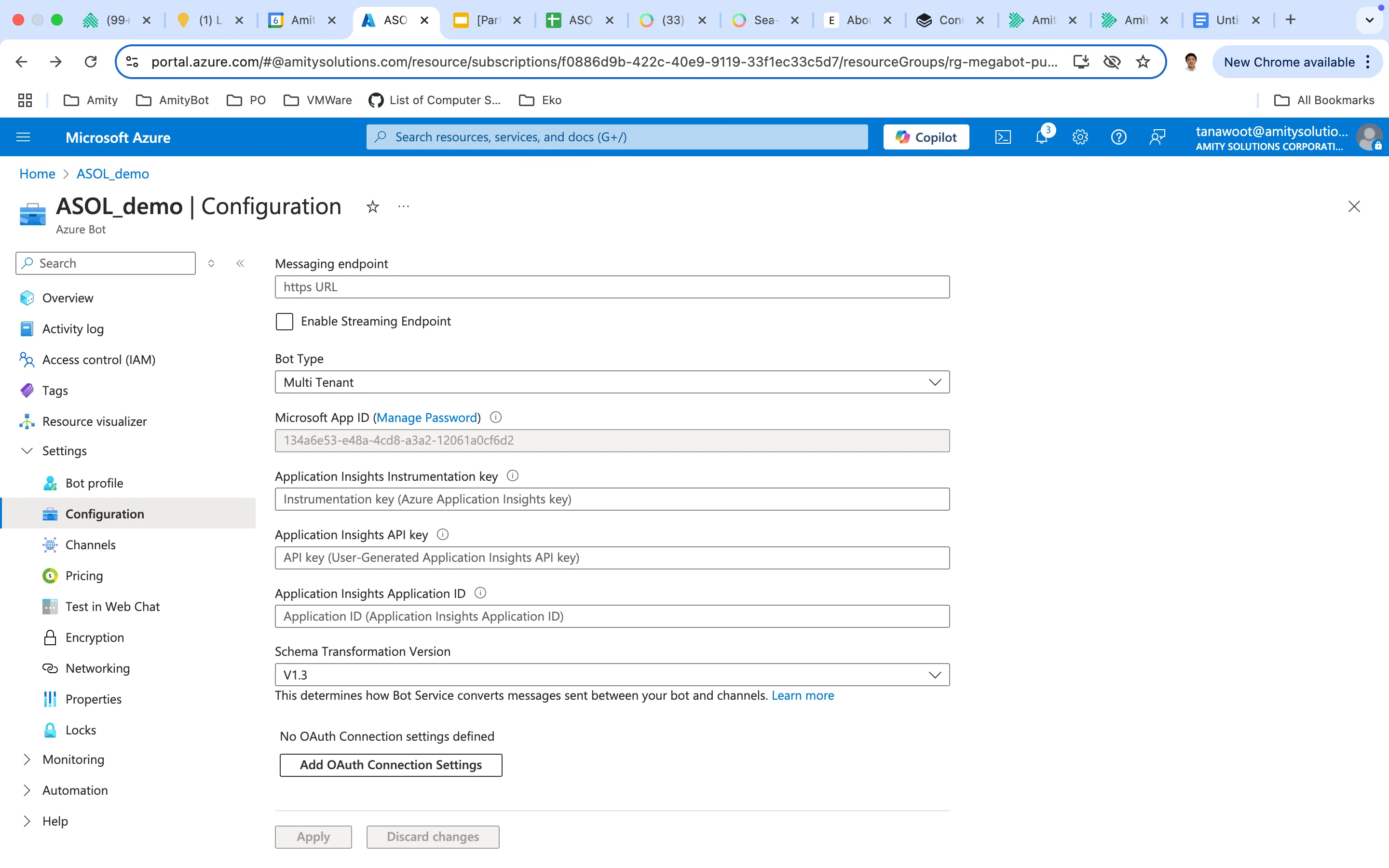
- copy Microsoft APP ID
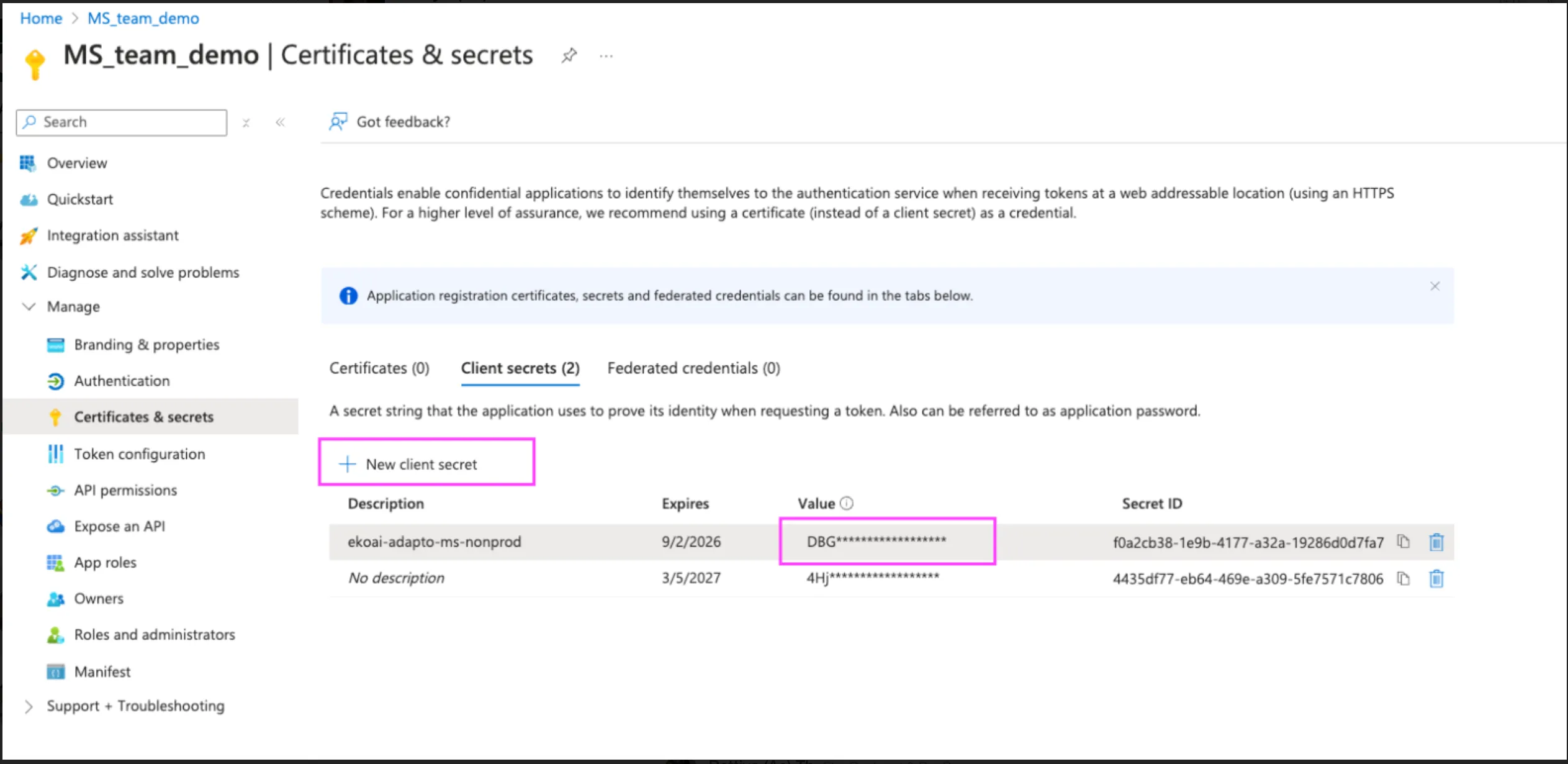
- Generate new CLIENT_SECRET
MS Team developer app
Section titled “MS Team developer app”- Navigate to the Microsoft Teams developer portal.
- Register a new application and configure the required settings.
- company name
- website
- privacy policy
- short description
- long description
- Terms of use
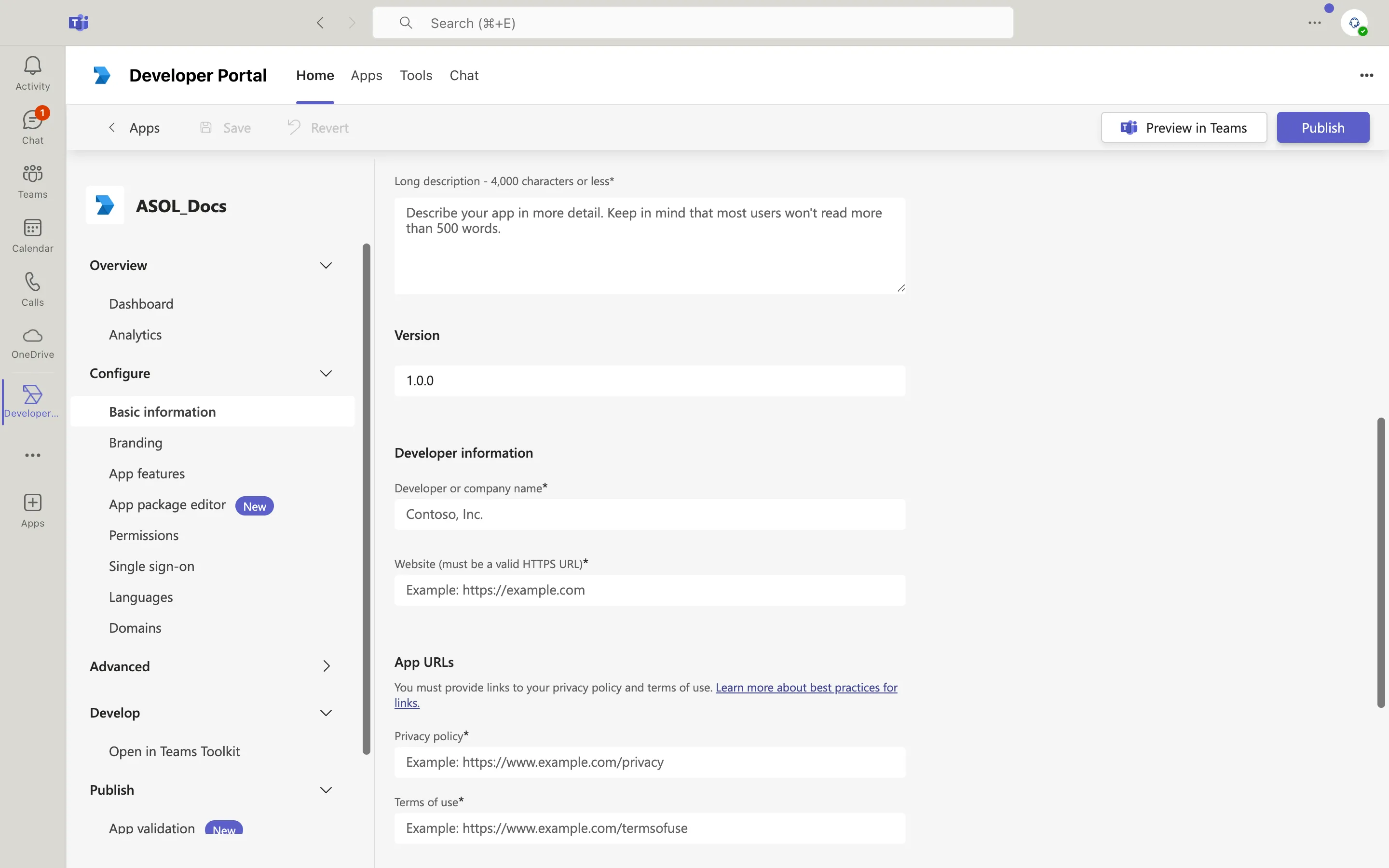
- select App features
- create Bot for the developer app
- Enter bot id - past the value from section Azure bot 5.
- select scope - personal
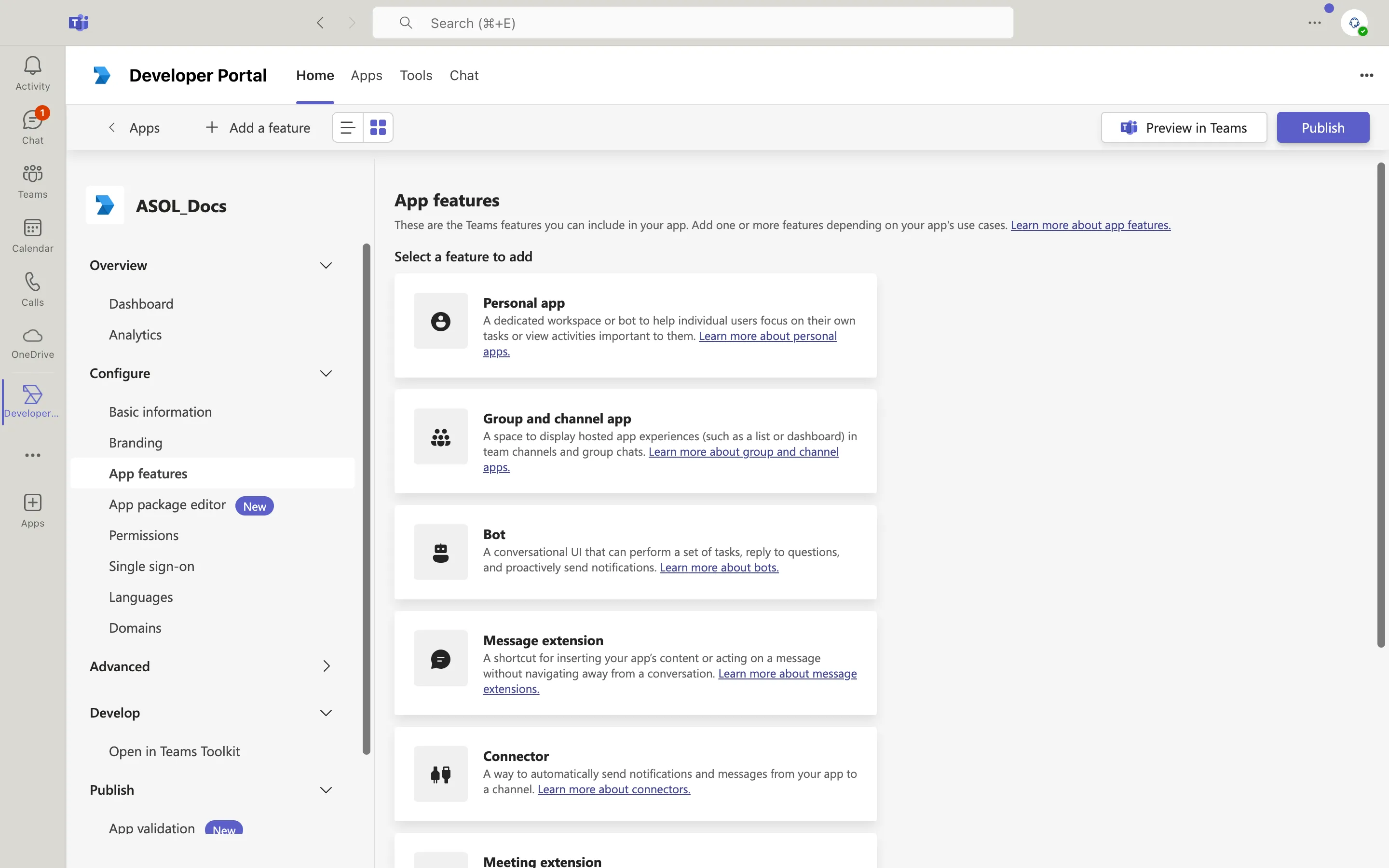
- click save
- select publish to org
- click publish your app
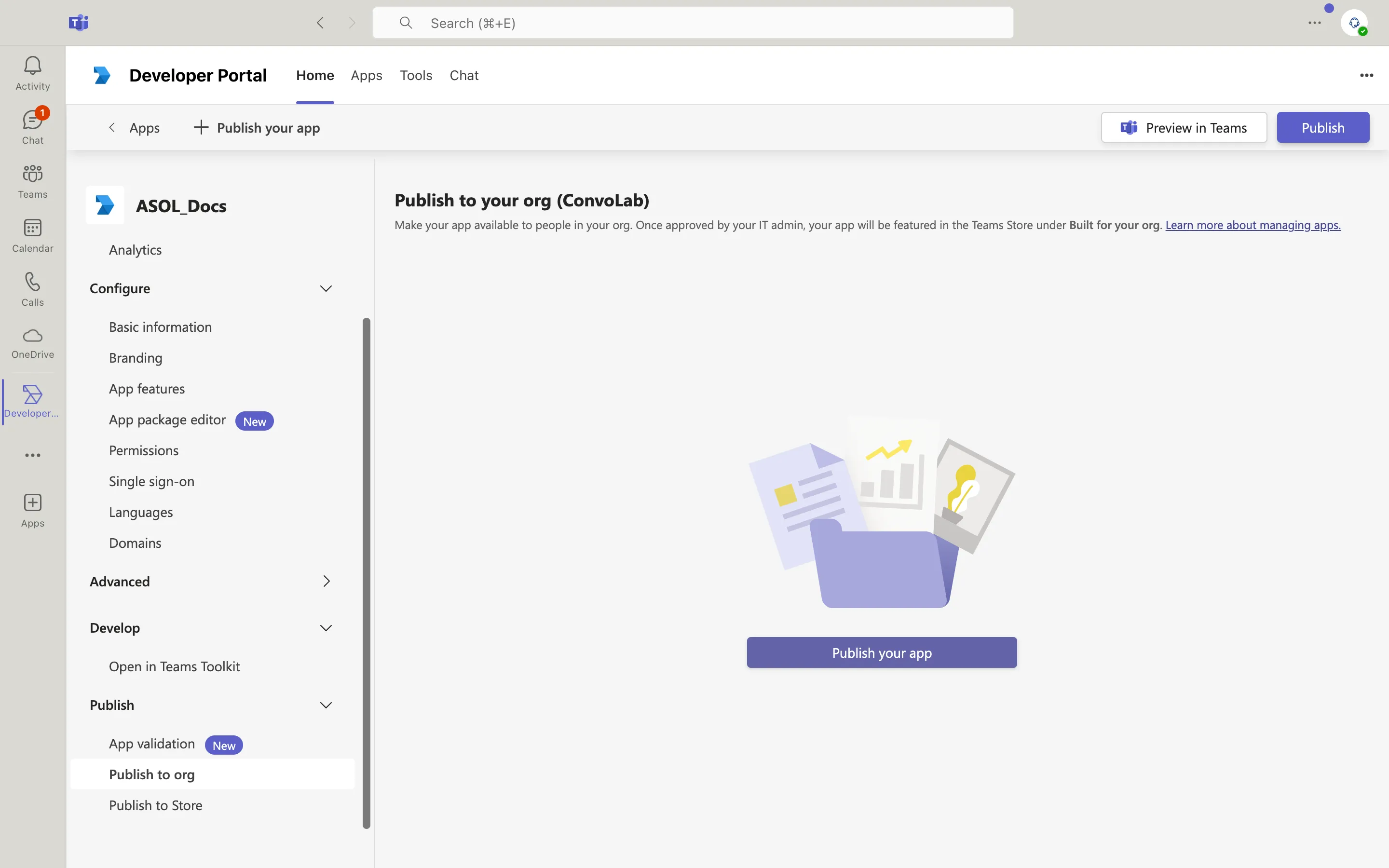
- ask admin to approve
- wait 24 hours for app to be activated
Was this page helpful?
Thank you for your feedback!