

Secretary Agent
Create & summarize report on a routine basis
To utilize the Secretary Agent effectively, developers must enable the report_builder feature. The report_builder tool is a valuable resource for creating detailed and customizable reports.
"tools": { "report_builder": { "toolName": "report_builder", "config": { "timezone": "Asia/Bangkok" } } }How to create the report
Section titled “How to create the report”Request from chat
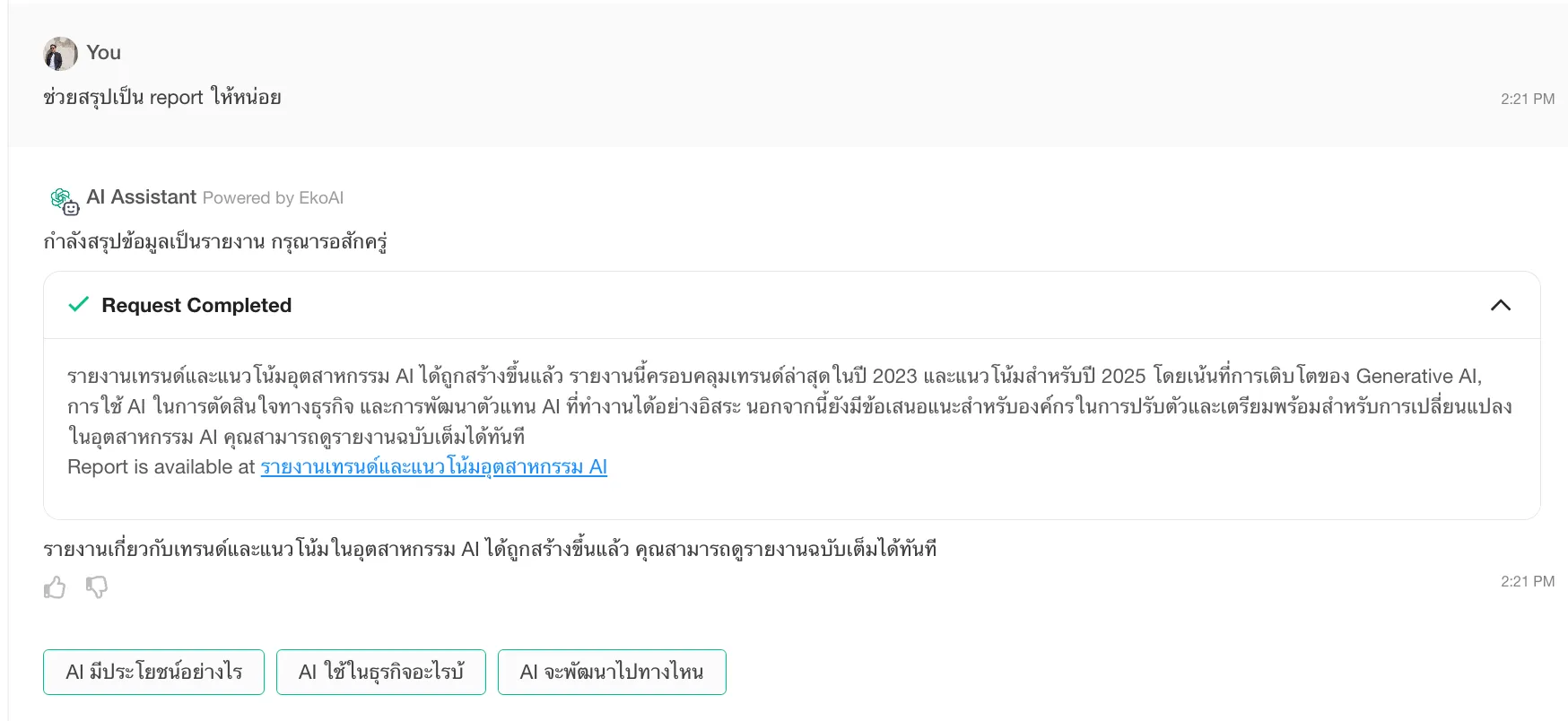
Section titled “Request from chat”Users can prompt the Secretary Agent to generate a report immediately by using phrases like “สรุปรายงานให้หน่อย,” “ช่วยทำ report ให้หน่อย,” or “สรุปเป็นรายงานให้หน่อย.” Furthermore, users can request the scheduling of report generation by specifying the day, time, or frequency at which they require the report to be generated. This feature allows for seamless communication with the Secretary Agent and ensures timely and efficient report delivery according to user preferences.
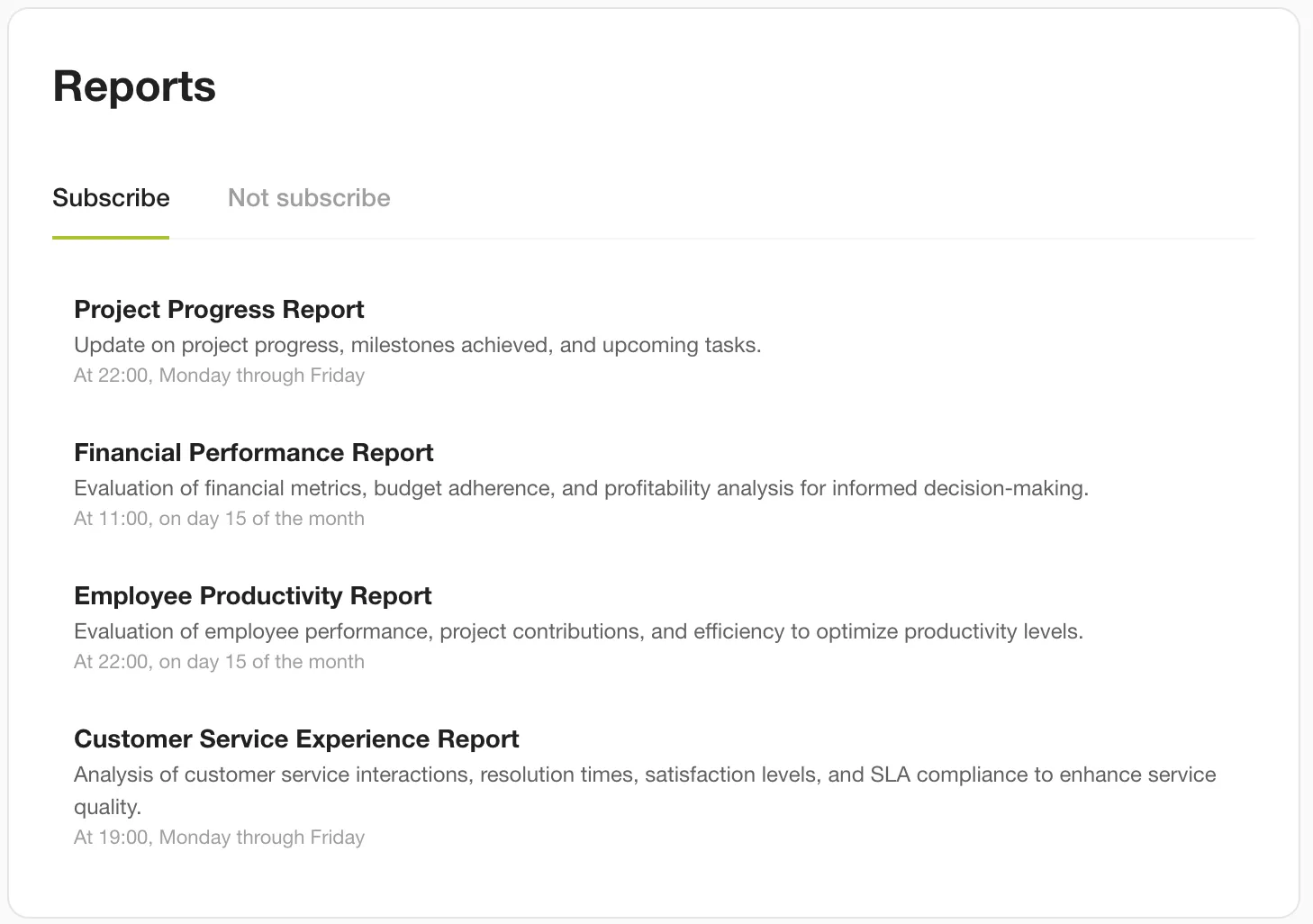
Subscribed report
Section titled “Subscribed report”Subscribe to pre-generated report setups administered by the system
Create a routine-templates
Section titled “Create a routine-templates”POST /_internal/routine-templates
Create a routine template for a specific assistant
curl --location 'https://ekoai.ekoapp.com/_internal/routine-templates' \--header 'Content-Type: application/json' \--header 'Authorization: Basic {{password}}' \--data '{ "assistantId": "{{clientId}}", "networkId": "{{networkId}}", "title": "Revenue Review", "description": "Review of revenue performance, trends, growth, and areas for improvement.", "questions": [ "What is the monthly revenue for the past 6 months?", "What is the total profit from the start of this year until today?", "What are the top 10 best selling products?" ], "tags": [ { "name": "New", "color": "#0F86FE" } ], "reportConfig": { "name": "report_builder", "schedule": "0 13 * * *", "assistantId": "{{clientId}}", "language": "THAI" }}'Headers
| Name | Value |
|---|---|
| Content-Type | application/json |
Body
| Name | Type | Description |
|---|---|---|
assistantId |
string | assistant client id |
networkId |
string | network id |
| title | string | Title of the routine report template |
| description | string | Description of the routine report template |
| questions | arrays of string | List of questions that the routine report template will use to generate the report |
| tags | arrays of object |
|
| reportConfig | objects |
|
Response
{ "status": "success", "data": { "assistantId": "11acb796-db84-411c-bdd4-77a4e37f4f54", "networkId": "679349450241866197fd98ff", "title": "Revenue Review", "description": "Review of revenue performance, trends, growth, and areas for improvement.", "questions": [ "What is the monthly revenue for the past 6 months?", "What is the total profit from the start of this year until today?", "What are the top 10 best selling products?" ], "tags": [ { "name": "New", "color": "#0F86FE" } ], "reportConfig": { "name": "report_builder", "schedule": "0 13 * * *", "assistantId": "11acb796-db84-411c-bdd4-77a4e37f4f54", "language": "THAI" }, "id": "ab8e197d-ac13-4d3c-b02e-726e5c644eee", "createdAt": "2025-02-05T09:54:56.601Z", "updatedAt": "2025-02-05T09:54:56.601Z" }}Delete a routine-templates
Section titled “Delete a routine-templates”DELETE /_internal/routine-templates/{{templateId}}
Delete a routine template
Response
{ "status": "success"}Was this page helpful?
Thank you for your feedback!